Triggerbot · 8 min read · 2026-09-25
Never Miss a Snipe Again with a Custom TF2 Triggerbot
Tune TF2 triggerbot timing, hitboxes, scope checks, weapon filters, and delay for cleaner Sniper shots.
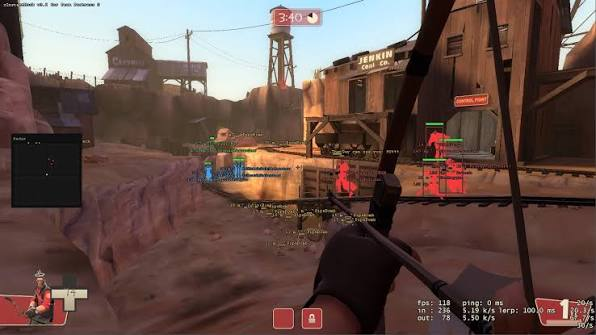
How a TF2 triggerbot works
A TF2 triggerbot fires when a valid enemy hitbox crosses the crosshair. It does not need to move the camera, so crosshair placement still controls where the shot can happen.
The feature checks team, visibility, weapon state, and selected hitboxes before sending the fire input. Good filters matter more than raw activation speed.
For Sniper, the goal is consistent timing rather than firing at every small edge of a target.
Trigger delay and shot timing
Trigger delay adds a short pause between detecting a hitbox and firing. A small delay can prevent shots caused by one frame of contact at the edge of a model.
Too much delay lets fast players leave the crosshair. Start low, test moving targets, and increase only if shots fire before your aim settles.
Weapon cooldown and charge checks should stop repeated inputs when the weapon cannot fire. Scoped Sniper rifles also benefit from zoom and charge conditions.
Hitbox and weapon filters
Head-only activation fits scoped rifles and the Ambassador. Torso activation is more forgiving for revolvers, shotguns, and rapid-fire weapons.
A custom weapon list prevents the trigger from activating on tools or weapons where automatic firing adds no value. Keep melee and building tools disabled.
Team check, enemy-only mode, and visibility checks should always match the filters used by player ESP.
Sniper configuration
Use a narrow head hitbox, require scope when appropriate, and apply a small delay. A minimum charge option can hold the shot until the rifle has enough damage for the selected target.
Distance can affect the preferred timing because small models cross the reticle quickly at long range. Avoid an excessive delay on fast sightlines.
Triggerbot does not correct poor crosshair placement. Pair it with the subtle tracking approach in the TF2 aim assist guide if you need controlled correction.
Testing a custom profile
Begin with one rifle and one hitbox. Test stationary targets, side movement, partial cover, and teammates crossing the sightline.
Change delay in small steps and save separate settings for Sniper, Spy revolver, and general hitscan weapons.
The complete feature list and current compatibility status are available with tf2 cheats before choosing a plan.
Ready for tf2 cheats?
Check live VAC status, then buy aimbot, ESP, and radar for Team Fortress 2 on tf2cheat.com. Need help? Read support or player reviews. Own the game via the official site.
Community replies
Discussion prompts based on common player questions.
sightline
Sniper · 2026-09-25
A tiny delay stopped the random edge shots without making Scouts impossible to hit.
revolverpeek
Spy · 2026-09-25
Separate head and torso profiles are necessary. My Ambassador timing does not fit the stock revolver.
headshotlane
Sniper · 2026-09-25
The scope check is the option I missed at first. It keeps the trigger quiet when switching weapons.
Frequently asked questions
Does triggerbot aim for me?
No. It fires when your crosshair reaches a valid hitbox. Crosshair placement and any separate aim feature still control target acquisition.
Why add trigger delay?
A short delay can prevent firing from a brief edge contact. Too much delay can miss fast targets, so adjust it in small steps.
Can triggerbot require a scoped rifle?
Yes, if the menu includes a scope check. This prevents activation while unscoped or while using an unrelated weapon.
Which hitbox is best for Sniper?
Head activation fits headshot-focused rifles. Torso activation is more forgiving when damage or weapon choice does not require a headshot.